
Page change detection with MCP - No longer just about web page changes
Topic
In November 2026 we added first class support for MCP in changedetection.io - This means that changedetection.io is fully available to communicate with any software that talks MCP - In a few words it means that your web page change detection history is now fully available to Claude.ai, ChatGPT / OpenAI and others.
We focused on making sure the configuration steps were clean and easy, and ran extensive tests to make sure we had the right tooling available on MCP to help your LLM session discover what it needs with a minimum of calls - saving you time and money.
MCP is now available since version 0.70.1 (November 2026) and is now included in our SaaS offering.
Web page change detection and MCP - What's great about it?
Imagine this - For years you've been following the prices of your local restaurants with changedetection.io , or you have built up a history of your electricity providers price changes and fluctuations, and you want to summarise many years of changes in just a few sentences.
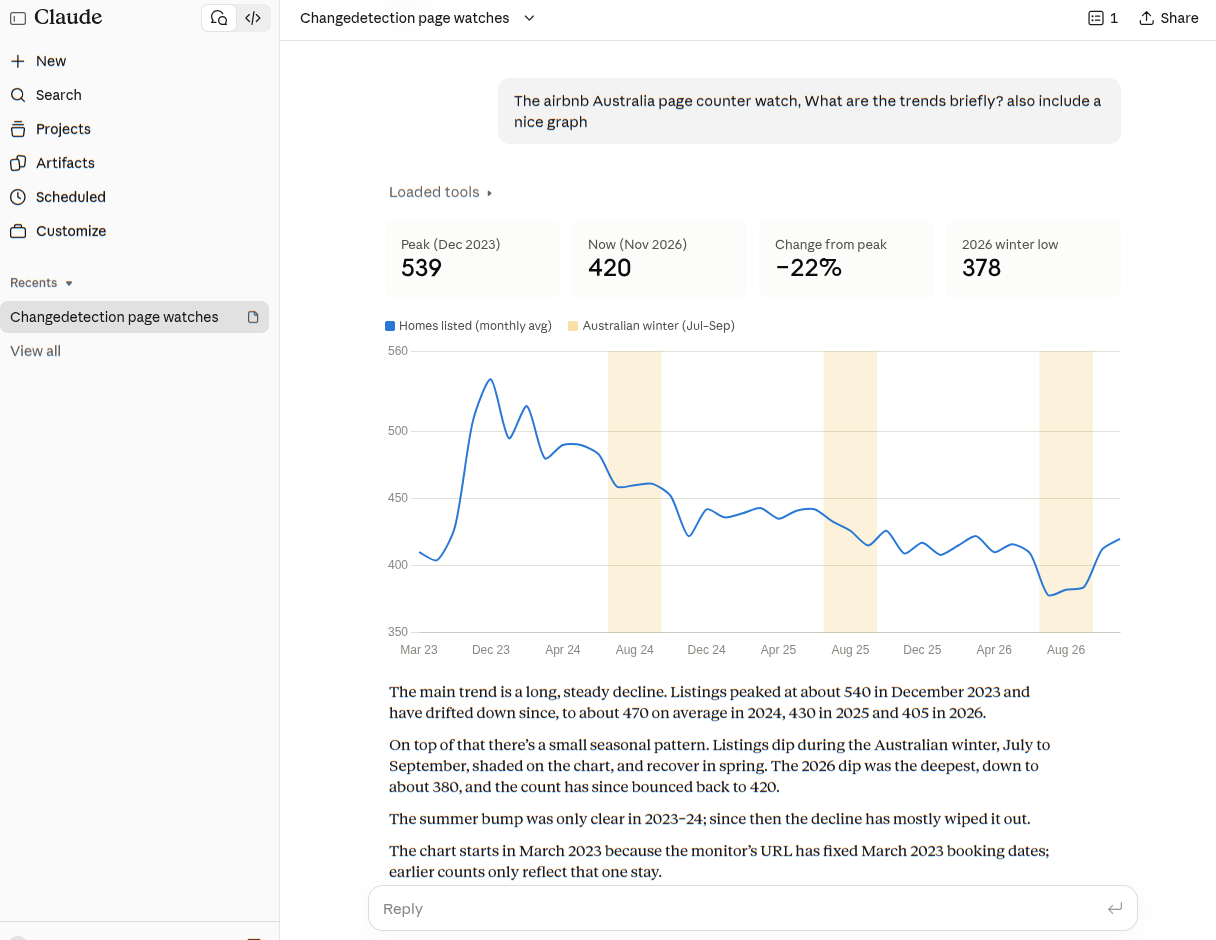
Maybe you've been interested in the AirBnB trends in your area, that data is stored in your changedetection.io dashboard - Now it's no longer just in the dashboard - It becomes a resource for valuable insights.
Connecting to Claude.ai and OpenAI using MCP
Our goal was to support all major methods of connectability to the most popular LLM engines ( Claude.ai , OpenAI, ChatGPT ) and our focus was to make the configuration as fast and easy as possible. We really want you to get the most of using MCP with changedetection.io and to really learn to love it.
changedetection.io has a built-in server for the Model Context Protocol (MCP), the open standard AI assistants use to work with other applications. Anthropic introduced MCP in late 2024. OpenAI, Google and Microsoft adopted it within months, and it now sits under the Linux Foundation's Agentic AI Foundation, so no single vendor controls it.
Because of that, one connection works with Claude (claude.ai, Claude Desktop and Claude Code), ChatGPT, Cursor, VS Code and any other MCP client, with no plugin for each assistant. You paste your instance's /mcp/v1 address into claude.ai or ChatGPT as a custom connector.
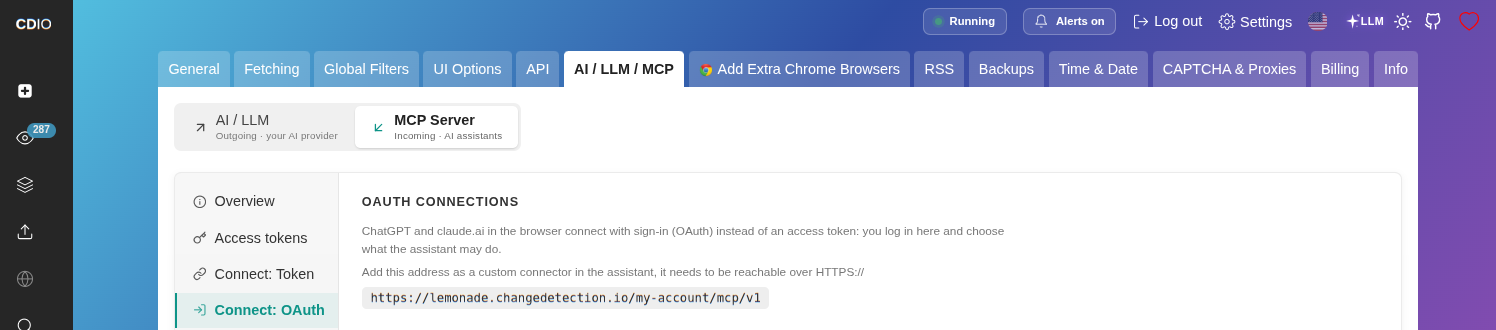
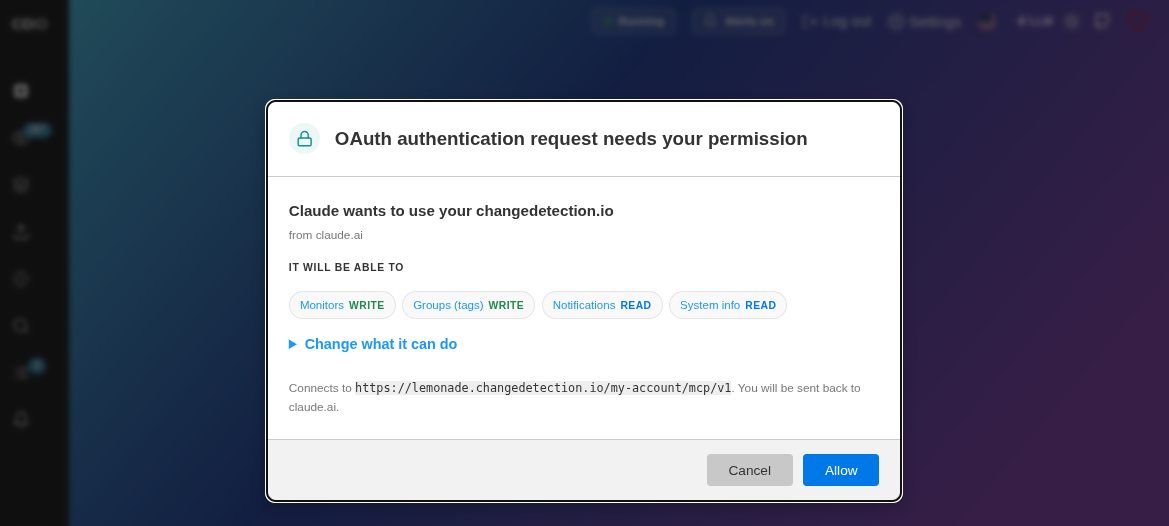
The assistant finds the sign-in on its own using standard OAuth 2.1 (PKCE, dynamic client registration). You log in with your instance's own password and choose what the assistant may do: read only, or read and write, per area (monitors, groups, notifications and system info). Command-line and desktop tools can use a named access token instead. The assistant then gets 27 tools for things like "what changed on my competitor pages this month?", when a price went up, the history of a page, or adding and tagging new monitors.
MCP and data safety
MCP is off until you switch it on, and each connection uses its own credential, which you can revoke at any time. Every assistant gets its own access grid: for monitors, groups and notifications you can choose no access, read only, or read and write, and system info can at most be read.
A connection can also be limited to particular groups (tags), so an assistant working on one client or project only works with the monitors in those groups. Adding ?readonly=1 to the address gives a connector meant only for looking, not changing.
Notification URLs are shown in a masked form, proxy and browser connection details aren't included, and changing where alerts are sent needs its own notification write permission. This helps reduce the risk of a monitored page steering an assistant into sending your data somewhere else.
Page text is marked as untrusted content for the assistant to report on rather than act on, and assistants are asked to check with you before deleting anything. Tokens are stored as hashes. claude.ai and ChatGPT sign in using OAuth 2.1 with short-lived access tokens, and the settings page shows when each connection was last used and by which client.
As always, this is new functionality: review your settings, give each assistant only the access it needs, and keep an eye on what it does.
As always - have fun!
-
Continue with

 $8.99/Month Easy Subscription
Cancel anytime, 5,000 URL watches included.